Smartphone Camera AI 2026: Complete Beginner’s Guide With Computational Photo Tips
Introduction to Smartphone Camera AI 2026
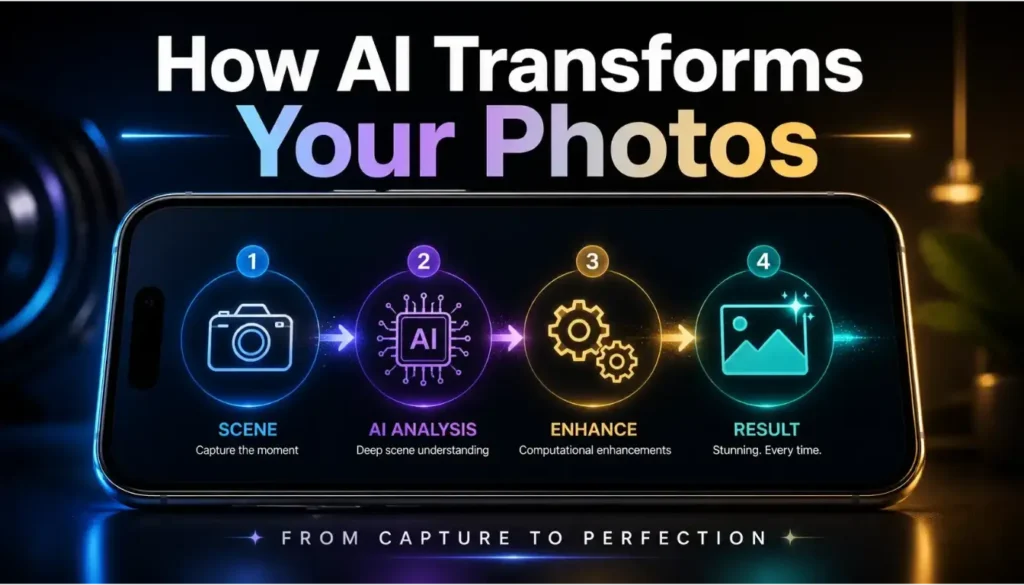
Smartphone camera AI 2026 has quietly transformed your phone into the most capable camera most people will ever own. Instead of juggling dozens of manual settings, studying complex exposure charts, or investing in heavy lenses, you now have intelligent, always-on assistance built into your device. Modern camera systems use dedicated neural engines to analyze each frame, recognize subjects, and apply subtle corrections in real time. For beginners, this means you can concentrate on the story in front of you while the smart processing stack handles exposure, focus, and noise in the background.
The big shift is that photography is moving from pure hardware competition to software and intelligence. Two phones can have similar megapixel counts and sensor sizes, yet deliver completely different results because their algorithms think differently. In 2026, a midrange device with well-tuned smartphone camera AI 2026 can outperform an older flagship simply through smarter processing pipelines. Understanding how that AI “sees” your frame and how to guide it is now more powerful than memorizing every manual setting or technical term.
Another huge change is how your photos integrate with the rest of your digital ecosystem. Your images are no longer just static files; they are the starting point for AI-powered editors, social feeds, and recommendation systems that respond to clarity, depth, and engagement. If you follow structured computational photo tips, your photos become more likely to be featured in AI-curated feeds, explore pages, and highlight reels. At the same time, the more intelligent this ecosystem becomes, the more valuable your images are as data—making security and privacy impossible to ignore.
This growing value also raises a practical question: how do you keep your photos private as they sync across phones, laptops, and cloud apps? A few habits help. Review which apps have access to your photo library and remove permissions you no longer need. Turn on two-factor authentication for your cloud photo backup, and check sharing links periodically since many people forget to revoke access after sharing an album. If you shoot content professionally or for clients, consider a separate album or vault with restricted sharing rather than relying on your general camera roll.
The good news is you don’t need to be a professional photographer or cybersecurity expert to benefit from any of this. A simple, repeatable workflow gives you consistent results across portraits, landscapes, night shots, and social content. You let smartphone camera AI 2026 handle the heavy computation—multi-frame stacking, advanced noise reduction, subject recognition—while you focus on creative decisions. Over time, this combination is what turns your work from random snapshots into a recognizable, evolving style.
For a broader look at how AI is reshaping smartphone cameras in general, you can also check this overview of next‑generation mobile imaging trends from DXOMARK.
| Feature | Benefit in Smartphone Camera AI 2026 |
|---|---|
| On-device Neural Processing | Analyzes each frame in milliseconds so beginners get balanced photos without touching manual settings. |
| Multi-Frame Image Fusion | Combines several frames into one shot, boosting detail and dynamic range in challenging lighting. |
| Scene-Aware Editing Suggestions | Detects scene type and recommends tailored adjustments that actually match what you photographed. |
| Deep Ecosystem Integration | Connects seamlessly with AI editors and social platforms, helping your best shots surface more often. |
| Privacy-Aware Cloud Sync | Encrypts backups and flags unfamiliar sign-ins, helping keep synced photo libraries under your control. |
Step 1: How Smartphone Camera AI 2026 Sees Your World
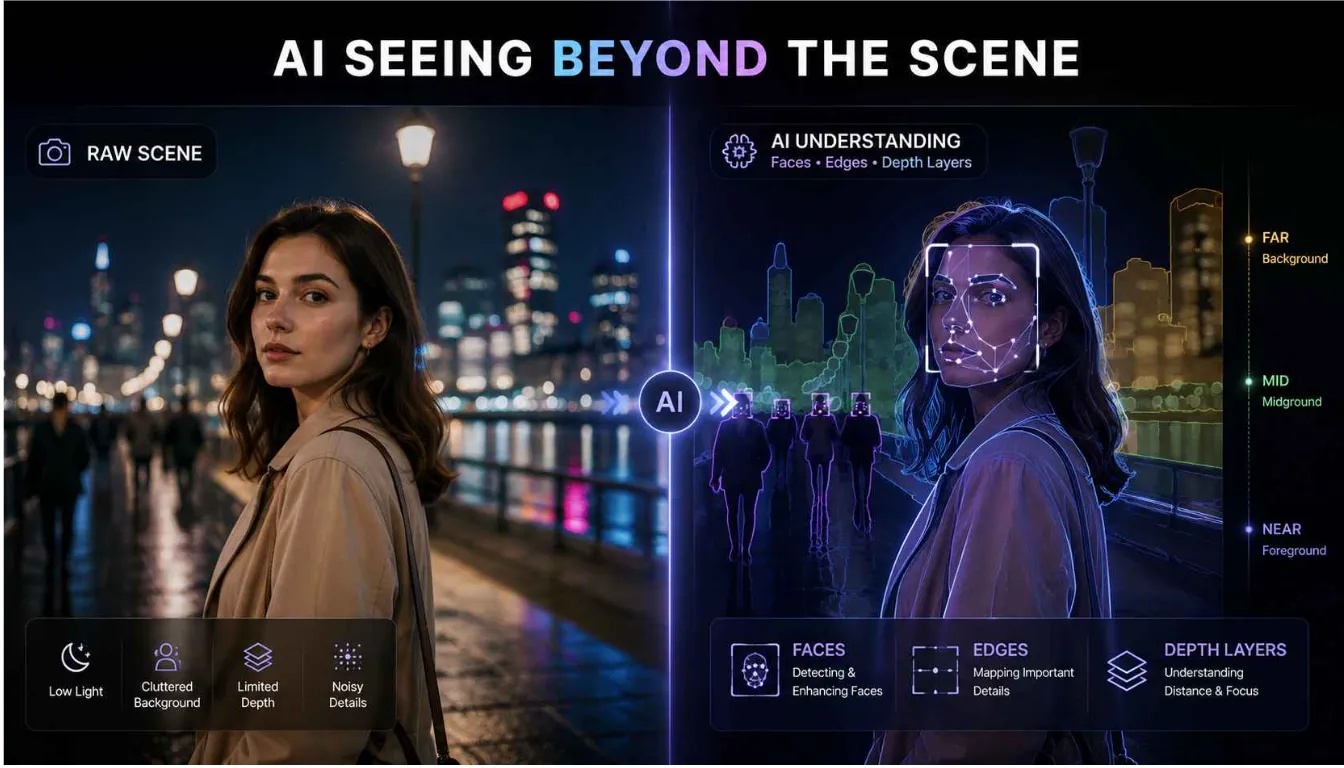
Before you start applying advanced tricks, it helps to understand how smartphone camera AI 2026 actually looks at a scene. Your phone no longer treats a frame as one flat image. Instead, it breaks the view into multiple layers: faces, background, edges, highlights, shadows, textures, and motion. Each of these elements passes through specialized models trained on millions of sample photos. This is why your camera can identify a person, separate them from a busy street behind, and adjust exposure for the face rather than the bright signboard above.
Every time you tap to focus or half-press the shutter, the camera runs a mini decision process. It asks: is this a person, a pet, a plate of food, a skyline, a night city, or a document? As soon as it assigns a category, it loads a tuned profile for that scenario. Portrait profiles aim for pleasant skin tones and soft background blur, night profiles prioritize noise reduction and dynamic range, and food profiles boost color and micro-contrast. One of the simplest computational photo tips is to intentionally choose the right shooting mode, because this tells the AI what kind of scene it should optimize for instead of leaving it to guess.
In 2026, phones also rely heavily on multi-frame capture. When you press the button, the device doesn’t actually save just one frame. It has been buffering a short burst of images both before and after your tap. The pipeline compares these frames, chooses the sharpest version of moving subjects, and merges information from multiple exposures into a single photo. This means something as simple as holding your phone steady for a couple of seconds can give smartphone camera AI 2026 the clean, consistent input it needs to generate a sharper result.
Depth and motion are treated similarly intelligently. Using dual or triple camera arrays, focus pixels, and sometimes LiDAR or time-of-flight sensors, the phone builds a rough 3D map of your scene. The AI uses this depth map to blur backgrounds, isolate subjects, or simulate lens compression found on professional cameras. If you stand too close to a cluttered wall, the depth map becomes messy and edge detection gets harder. Stepping slightly away and simplifying your background is a subtle computational photo tip that instantly gives the system better data to work with.
All these layers of intelligence mean your photos carry more information than meets the eye: where you were, who was with you, what you were doing, and when. That’s powerful and sensitive at the same time. Zero trust cloud security best practices 2026 assume that none of the systems handling this information should be trusted blindly. Every time your photos sync to the cloud or move between apps, requests are authenticated and scrutinized. This drastically lowers the chance of your gallery being quietly copied or scanned by an app you forgot you installed months ago.
If you want a more technical breakdown of modern AI scene detection in phone cameras, this guide from Giznova explains how current devices recognize and adapt to different scenes automatically.
| Feature | Benefit in Smartphone Camera AI 2026 |
|---|---|
| Real-Time Scene Detection | Auto-switches between portrait, food, night, or landscape profiles so settings match your subject. |
| Semantic Subject Recognition | Identifies faces, pets, buildings, and text separately and optimizes focus and exposure for each. |
| Depth Map Generation | Builds a 3D map of the scene to drive natural, adjustable bokeh and tighter subject isolation. |
| Motion Analysis & Frame Scoring | Studies micro-movements across buffered frames and chooses the sharpest instant as the base image. |
| Context-Aware HDR | Treats skies, highlights, and shadows differently to protect detail without fake-looking “HDR glow”. |
Step 2: Practical Computational Photo Tips for Better Everyday Shots
Once you understand the basics of how your camera thinks, you can begin using targeted computational photo tips to improve your shots from day one. Think of these as small, intentional habits that make it easier for the AI to do its best work instead of forcing it to fix avoidable problems.
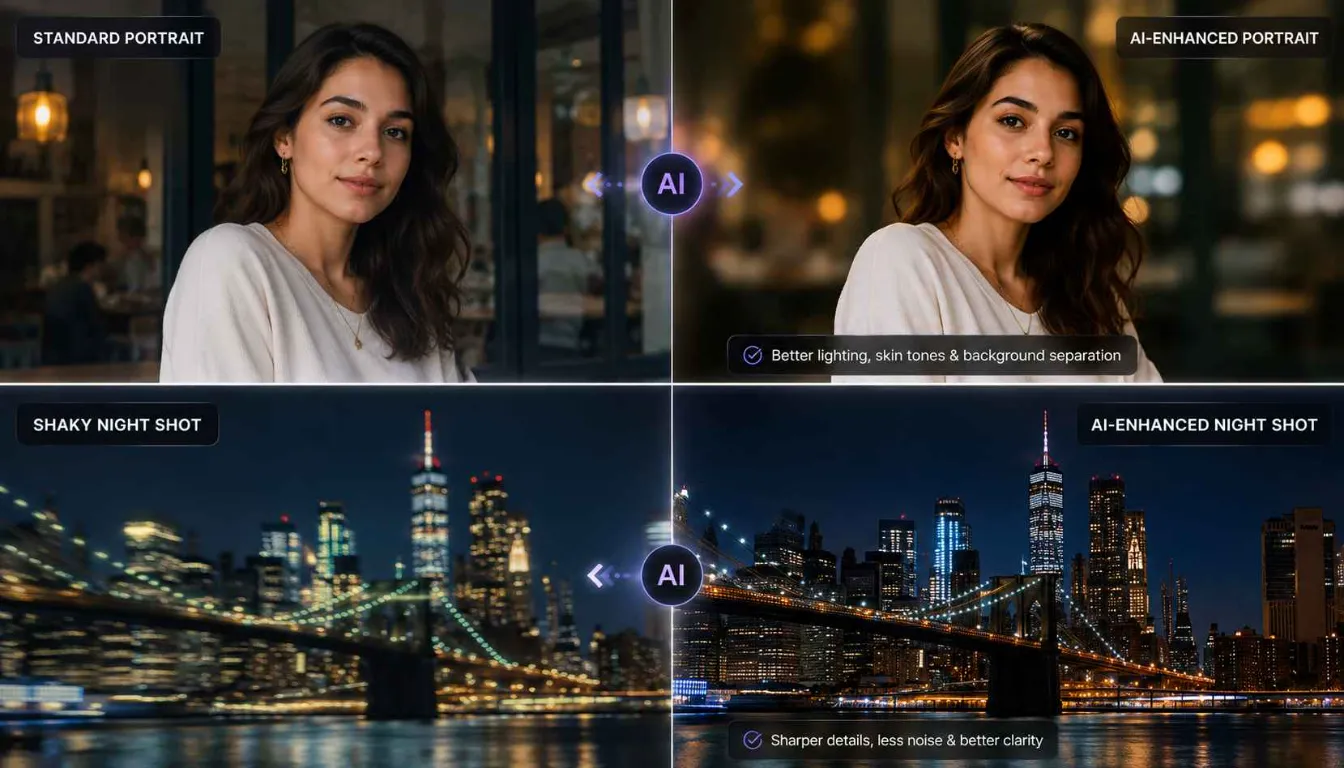
The first habit is to handle your phone like a real camera when the moment matters. Wipe the lens before an important portrait, stabilize your grip with both hands, and avoid snapping shots while walking. Smartphone camera AI 2026 is excellent, but it still works with whatever raw data it receives. Multi-frame stacking, noise reduction, and sharpening all work better when the input frames are reasonably stable. Even a half-second pause after pressing the shutter can make the difference between a slightly blurred memory and a crisp, detailed keeper.
Next, lean into the specialized modes that ship with most phones. Portrait mode is far more advanced in 2026 than a simple blur filter. Under the hood, it identifies faces, finds edges around hair and shoulders, maps skin tones, and separates subject from background in three dimensions. To help it, position your subject at least a step away from the background and avoid extremely busy patterns directly behind the head. This gives smartphone camera AI 2026 the contrast it needs for clean subject separation. If the bokeh effect looks too strong or artificial, use the built-in depth slider to tone it down until it feels natural.
Low-light and night modes benefit from patience. When enabled, these modes typically capture multiple frames over one to four seconds, then combine them to reduce noise and boost detail. Instead of snapping and immediately pulling the phone away, hold still until you see the processing animation complete. If possible, brace your elbows against your body or lean against a wall for extra stability. It’s one of the simplest computational photo tips, but it lets the AI extend exposure slightly and gather more light without turning your shot into a blur.
In bright conditions, HDR (high dynamic range) is your friend. The latest HDR implementations examine multiple exposures to protect both highlights and shadow details. The result is a more balanced image where the sky doesn’t blow out and faces aren’t dim. However, not all HDR looks natural by default. If your images start to show halos around edges or overly “HDR-ish” colors, dial down the HDR strength in your camera settings or switch to a more neutral picture profile. Smartphone camera AI 2026 usually offers a choice between realistic and punchy looks—picking the right one for your style is part of building a consistent visual identity.
And foundational composition still matters. Turning on grid lines, using the rule of thirds, avoiding heavy distractions at the edge of the frame, and watching your horizon all stack the deck in your favor. AI can suggest crops and straighten slightly tilted shots, but it is much more effective when you start from a strong base. In a way, computational photo tips are most powerful when they sit on top of timeless photography fundamentals, not when they try to replace them.
For photographers who want to dig deeper into stacking, HDR, and other computational tricks, this beginner‑friendly article on computational photography is worth a read.
| Feature / Tip | Benefit in Smartphone Camera AI 2026 |
|---|---|
| Steady Grip or Support | Gives multi-frame stacking clean input, so night mode can deliver brighter, low-noise shots. |
| Use Portrait Mode With Separation | Improves edge detection and bokeh realism by giving AI clear contrast between subject and background. |
| Tap-to-Focus on Eyes | Tells the AF and AI stack where to prioritize sharpness, making portraits look more professional. |
| Patient Night Mode Shooting | Holding still for a few seconds lets AI stack several frames and reveal hidden shadow detail. |
| HDR With Composition Awareness | Using HDR with simple compositions preserves skies and faces without creating strange halos. |
Step 3: Build a Simple AI Shooting Workflow for Every Scenario
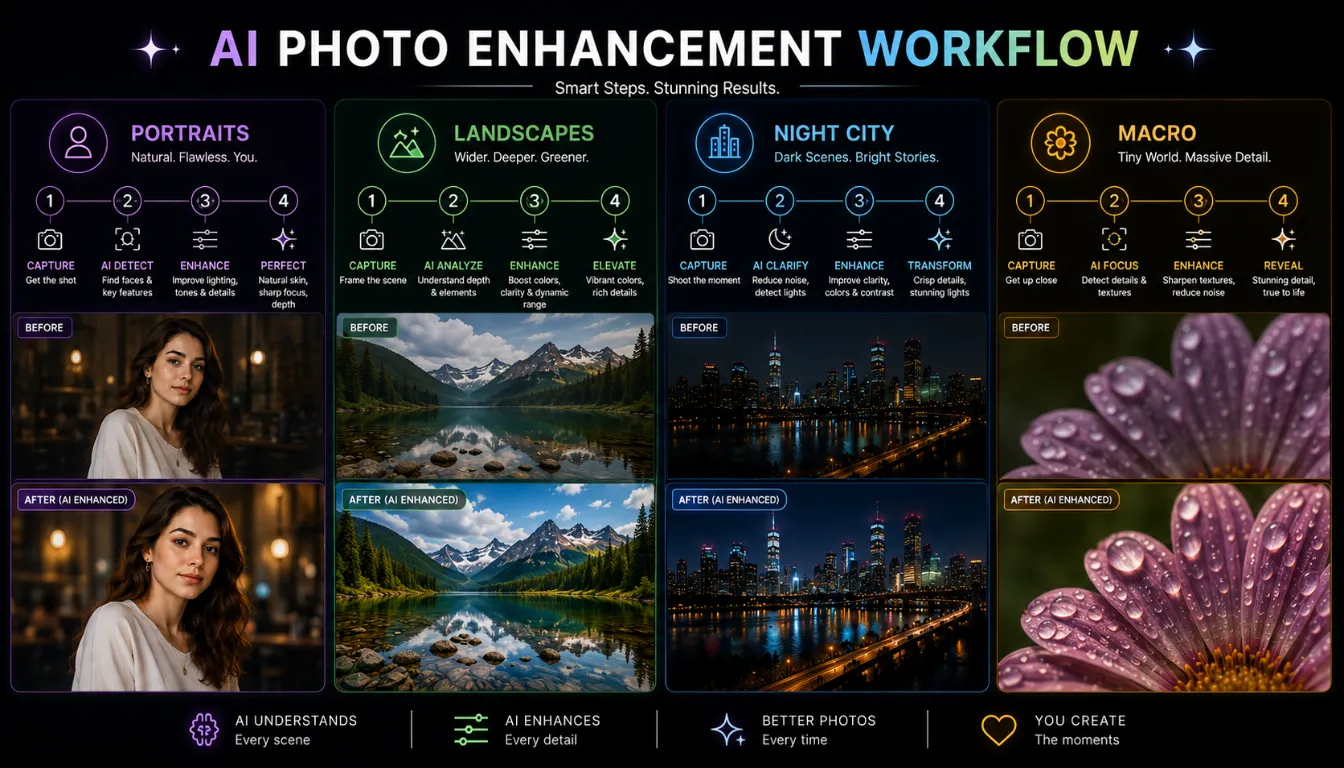
To consistently get good results, it helps to think in terms of a simple workflow instead of one-off tricks. Just like an SEO workflow, you want repeatable steps for key scenarios—portraits, landscapes, city nights, and close-ups—so you’re never guessing under pressure.
For portraits, start by choosing light and background before you even raise the phone. Look for soft, directional light, such as near a window or in open shade, rather than harsh overhead sun. Place your subject so the light falls slightly from the side, then enable portrait mode and tap on their eyes to lock focus. Quickly check the preview bokeh and adjust blur strength if it looks too fake. This small routine takes seconds, but it ensures smartphone camera AI 2026 has everything it needs: clear subject, controlled light, and separation from the background.
Landscapes work best when you think in layers—foreground, midground, and background. Switch to your main wide lens and enable HDR or a dedicated landscape profile. Then, look for a strong foreground element such as rocks, a railing, or flowers to anchor the scene. Many phones now offer a high-resolution mode that stitches together multiple frames for extra detail. Use it when you have time and relatively static subjects. One useful computational photo tip is to shoot both a normal and a high-res version of the same scene, especially when you suspect you might want to print or crop heavily later.
When it comes to night and urban scenes, decide whether you want motion or stillness. For light trails and city energy, find a stable spot, enable night mode, and let the camera extend the exposure. For crisp shots of people, position them near bright light sources like storefronts or street lamps, ask them to pause briefly, and let smartphone camera AI 2026 stack frames for cleaner output. Avoid only relying on digital zoom in low light, as it magnifies noise. Instead, move physically closer or crop later from a wider, cleaner shot.
Macro and close-up photography benefits from careful focusing and distance control. Many phones automatically switch to a macro lens, but that lens might not always be your sharpest option. If your device allows it, disable auto-macro and manually decide when to use it. Move closer until the subject is sharp, tap to focus exactly where you want detail, then slightly rock back and forth to see where the AI maintains clarity. A short burst of shots lets the system pick the best frame, and you can later choose the cleanest result.
After each session, spend a few minutes reviewing your best shots. Group your favorites: top portraits, best landscapes, strongest low-light images. Ask what they share—similar light, distance, or color palette. Over time, these observations become your personal computational photo tips, tuned specifically for your device and your taste. This is how you go from following generic advice to building a unique, reliable workflow.
You can also explore this smartphone photography tips guide for more ideas on composition, light, and angles that work well with AI cameras.
| Feature / Workflow Element | Benefit in Smartphone Camera AI 2026 |
|---|---|
| Portrait Workflow (Light + Distance) | Combining soft light and background separation gives AI ideal input for flattering, clean portraits. |
| Landscape Workflow (Layers + HDR) | Layered scenes plus HDR help preserve both sky texture and foreground detail in a single balanced frame. |
| Night City Workflow (Night Mode + Stable) | A stable stance lets AI build light trails or clean street scenes without needing a physical tripod. |
| Macro Workflow (Manual Distance + Burst) | Careful distance and short bursts let AI choose the sharpest frame and avoid common close-focus issues. |
| Post-Session Review Routine | Regularly reviewing best and worst shots teaches you which habits help the AI and which ones hurt it. |
Step 4: Edit and Protect Your Images With AI and Zero Trust Security
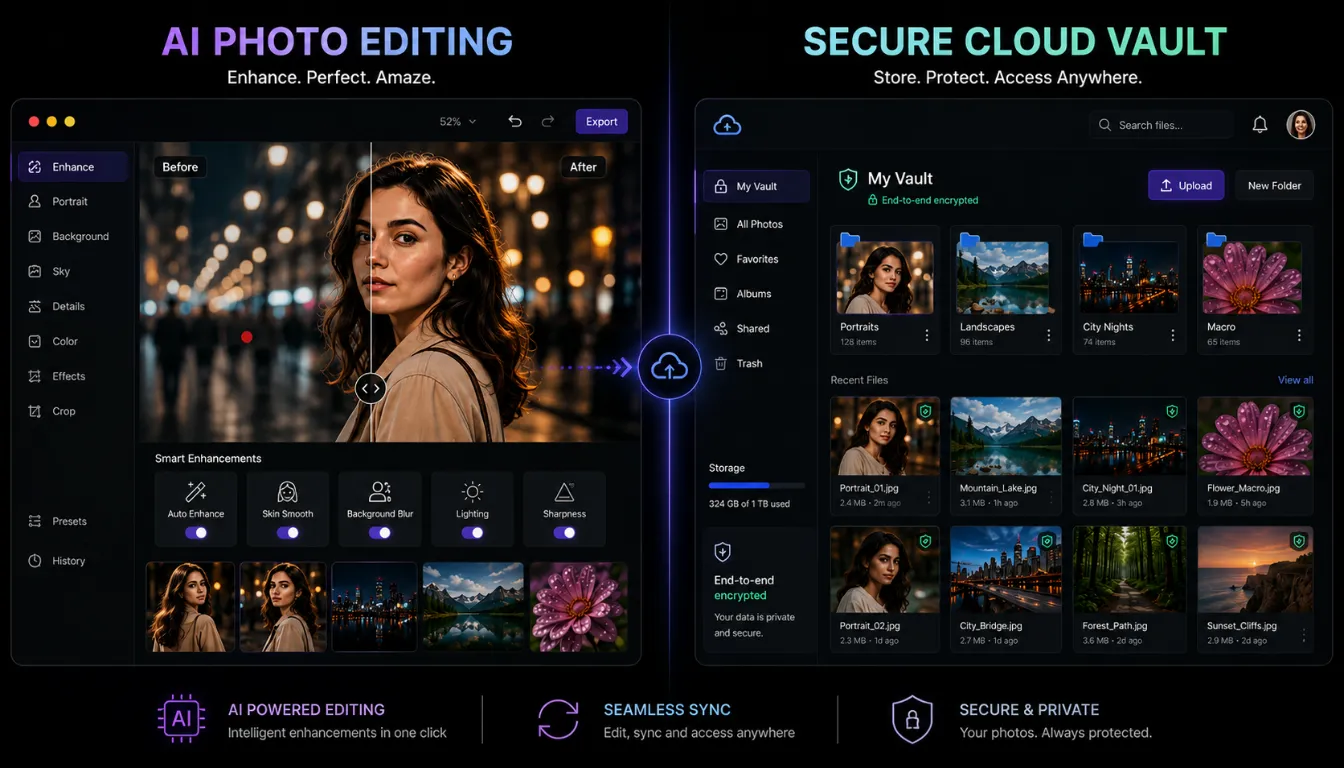
Capturing the photo is only half of the journey. The editing and sharing phase is where smartphone camera AI 2026 really shows its full range—and where you must start thinking seriously about security and control. Modern editors can auto-suggest crops, apply smart color grading, and perform detailed retouching without needing desktop tools, but it is up to you to keep the final look natural and the underlying files safe.
Start editing with broad, global adjustments: exposure, contrast, white balance, and saturation. Use the app’s auto-adjust once as a baseline, then refine manually. A common beginner mistake is to accept strong AI edits that look impressive at first glance but artificial on larger screens. One reliable computational photo tip is to toggle between your edit and the original several times. If the edited version still feels like an enhanced version of reality rather than a completely different scene, you’re on the right track.
Then move into selective editing. Tap on faces to brighten or soften them slightly, sharpen eyes, and reduce distractions in the background. Many 2026 editors let you tap and drag over a subject, then let smartphone camera AI 2026 refine a mask automatically using depth information. This makes complex local adjustments accessible even to beginners. Just avoid over-smoothing skin or reshaping features in ways that erase authenticity—subtle corrections tend to age much better than heavily retouched looks.
Creative AI tools can also help you develop a consistent style. Film-like presets, cinematic color grades, and mood filters are now often powered by context-aware models rather than simple overlays. The key is consistency. Pick a small set of looks that match your brand or personality, then adjust each output by hand. Over time, your followers will start to recognize your photos at a glance, even before reading the caption. That’s where computational photo tips blend with visual branding rather than standing as technical tricks only.
On the security side, images have become a high-value asset, even for non-professionals. Your photos may include family moments, behind-the-scenes work, or client projects. This is where zero trust cloud security best practices 2026 matter. In a zero trust model, no device or app is automatically allowed to interact with your cloud storage. Each access request is authenticated, authorized, and logged. In practical terms, this means enabling two-factor authentication for your photo storage accounts, reviewing connected apps regularly, and avoiding services that demand full access to your entire gallery for simple tasks.
Instead of letting every social or editing app see everything, create curated albums specifically for sharing. Keep your main archive in a trusted, encrypted service that follows zero trust cloud security best practices 2026. When you upload sensitive images, do it over secure, encrypted networks instead of public Wi-Fi. Periodically check where your backups live—old devices, external drives, or forgotten accounts—and clean up anything you no longer need. These practices might feel like extra steps, but they’re the digital equivalent of locking a studio door or backing up an important shoot.
By combining thoughtful editing with protective habits, you ensure that the powerful capabilities of smartphone camera AI 2026 serve you without putting your privacy at risk. You get the benefits of automation while staying firmly in control of how, where, and with whom your images are shared.
To compare secure cloud storage options for photographers, this 2026 overview of the best cloud storage for photographers is a good starting point.
| Feature | Benefit in Smartphone Camera AI 2026 |
|---|---|
| AI Auto-Edit for Global Settings | Delivers a strong starting point so you only need subtle tweaks instead of full manual corrections. |
| Selective AI Masks (Face / Sky / BG) | Lets you adjust specific parts of the image without advanced layer skills, speeding up pro-level edits. |
| Consistent AI-Powered Style Presets | Ensures your photos share a cohesive look, strengthening your visual identity across platforms. |
| Encrypted Cloud Storage | Keeps both originals and edits safe from unauthorized access while they sync across your devices. |
| Zero Trust Access Controls | Verifies every login and request, aligning your workflow with zero trust cloud security best practices 2026. |
Step 5: Grow Skills and Style With Data and Deliberate Practice
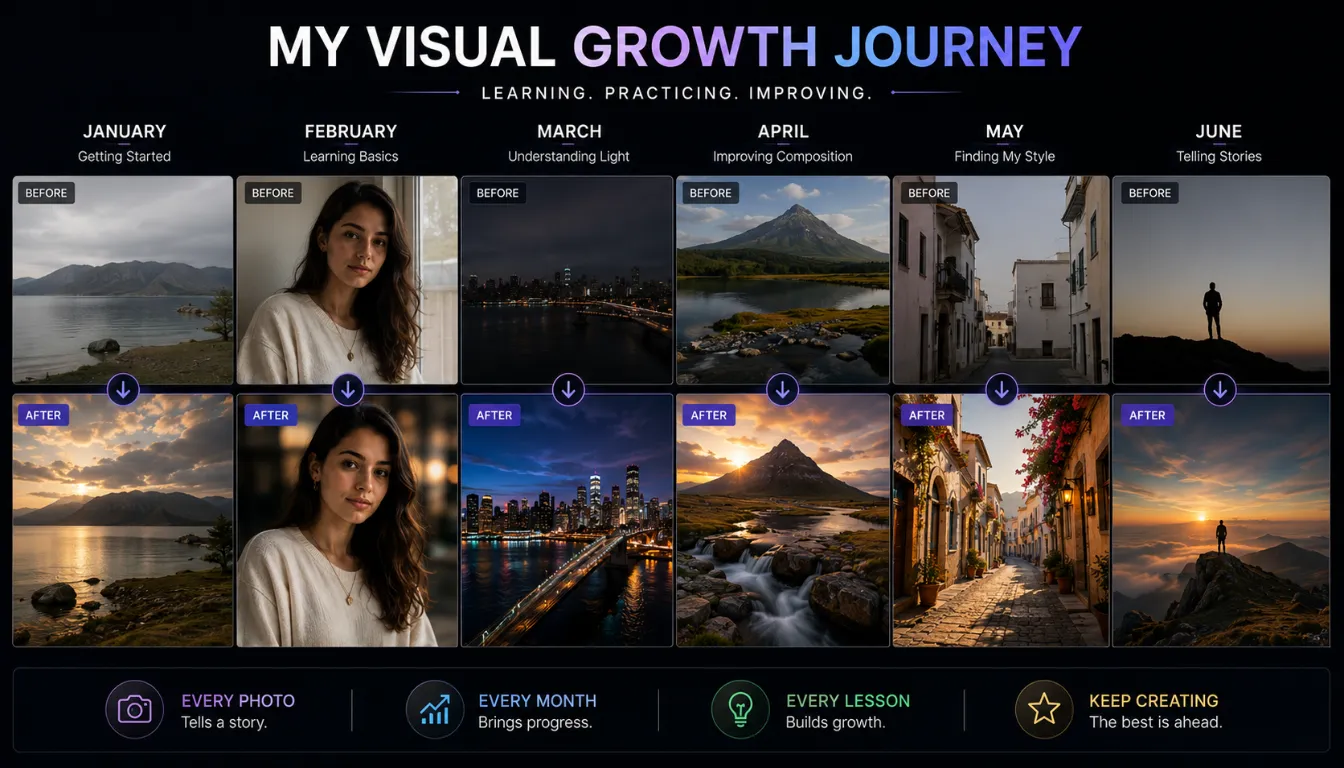
The final piece of the puzzle is growth. Just as SEO experts rely on analytics to improve, you can use simple feedback loops to refine how you use smartphone camera AI 2026. The goal isn’t to obsess over numbers but to notice patterns that help you make better creative decisions.
Start by creating small curated collections of your work: your ten best portraits, ten favorite night shots, ten most impactful landscapes. Put them side by side and study them. You’ll often notice common threads: similar lighting angles, preferred color tones, particular framing choices. These patterns are clues to what you naturally do well. Turning them into conscious computational photo tips—for example, “I get my best portraits when the light comes from a window at about 45 degrees”—gives you a starting script whenever you pick up the phone.
Next, look at how your audience responds. Which photos get saved or shared most often? Do people comment more on close-up details, environmental portraits, or wide city scenes? Engagement data isn’t a perfect measure of quality, but it can reveal what resonates. The trick is to balance this external feedback with your own taste. You want to refine your use of smartphone camera AI 2026 in the direction of images that you are proud of and your audience genuinely appreciates.
Modern gallery apps and social platforms increasingly provide their own “best of” suggestions powered by AI. These systems highlight shots with sharp focus, strong expressions, or clear subjects. While they may not match your taste every time, they can surface overlooked gems and give you a sense of which technical qualities the algorithms favor. Treat these suggestions as another reference point rather than a final verdict.
Deliberate practice accelerates all of this. Set mini-projects for yourself: a week of only black-and-white street photos, a weekend focusing on reflections and glass, or an evening dedicated to silhouettes. After each project, choose a handful of favorites and note what you did differently. Maybe you discovered that kneeling down changes your perspective dramatically, or that certain lighting times work better for your phone’s dynamic range. Each insight becomes another small, personal computational photo tip you can rely on.
Over time, you’ll notice that your expectations rise. Images that impressed you six months ago may feel average now, not because they got worse but because your standards improved. This is a sign of real progress. Instead of being intimidated, use it as motivation to keep refining how you collaborate with smartphone camera AI 2026. The AI will keep evolving, but your eye, your taste, and your consistency are what will keep your work ahead of the average.
| Feature / Habit | Benefit in Smartphone Camera AI 2026 |
|---|---|
| Curated “Best Of” Albums | Reveals what you already do well, so you can intentionally repeat and refine winning styles. |
| Engagement-Based Feedback | Shows which photos resonate most with viewers, guiding future creative decisions. |
| Themed Practice Projects | Focused challenges accelerate learning in specific lighting, subjects, or compositions. |
| Reviewing Missed Shots | Highlights where AI struggles, so you can adjust modes, angles, or habits on the next shoot. |
| Consistent Editing Style | Builds a recognizable visual brand that stands out in algorithm-driven feeds and galleries. |
Follow Ai Tech Unboxed for more practical AI and smartphone camera guides.
FAQs: Smartphone Camera AI 2026 & Computational Photo Tips
1. What exactly is smartphone camera AI 2026?
Smartphone camera AI 2026 is the latest generation of on-device and cloud-based algorithms that analyze each scene, recognize subjects, and automatically optimize exposure, focus, and color. It uses techniques like multi-frame stacking, depth mapping, and pattern recognition to produce sharper, cleaner, and more balanced photos with minimal manual effort.
2. Can beginners really get pro-looking photos just with AI?
Yes, beginners can achieve impressive results by combining AI modes with a simple workflow. If you follow basic computational photo tips—like holding the phone steady for night mode, choosing cleaner backgrounds for portraits, and selecting the correct scene profile—the AI handles most of the technical complexities while you focus on framing and timing.
3. How do computational photo tips improve everyday photography?
Computational photo tips are small, practical habits tailored to how modern algorithms work. Examples include stepping away from cluttered backgrounds so the camera can clearly separate subject and background, bracing your arms for long exposures, shooting both a standard and high-res version of important landscapes, and using tap-to-focus on eyes in portraits. Each of these makes it easier for smartphone camera AI 2026 to create a high-quality final image.
4. How can I keep my photos private when using AI camera features?
Most AI camera features process images on-device, so your photos aren’t automatically sent anywhere for editing. For cloud backups, review app permissions periodically, enable two-factor authentication on your photo storage account, and check old sharing links you may have forgotten about. If you shoot for clients or work, keep that content in a separate, access-controlled album rather than your main camera roll.
5. Do AI-powered cameras make traditional photography skills irrelevant?
No, traditional skills are still highly valuable; they simply interact with modern tools in new ways. Understanding light, composition, and timing gives smartphone camera AI 2026 better raw material to work with, resulting in more natural and consistent photos. The AI can enhance your work and rescue some borderline shots, but it cannot replace your taste, your storytelling, or your ability to decide what is truly worth capturing.
Key Takeaways: Smartphone Camera AI 2026
- Smartphone camera AI 2026 acts as a powerful assistant, handling exposure, focus, and noise reduction so you can focus on creativity and timing.
- Computational photo tips function like practical cheat codes, turning small habits into big improvements in sharpness, color, and balance.
- A repeatable workflow for portraits, landscapes, night shots, and macro scenes delivers consistent results and faster learning.
- Zero trust cloud security best practices 2026 keep your growing photo library safe by verifying every access request and limiting app permissions.
- Deliberate practice and a consistent editing style help you build a recognizable visual identity that AI-powered platforms and audiences remember.
Final Thoughts
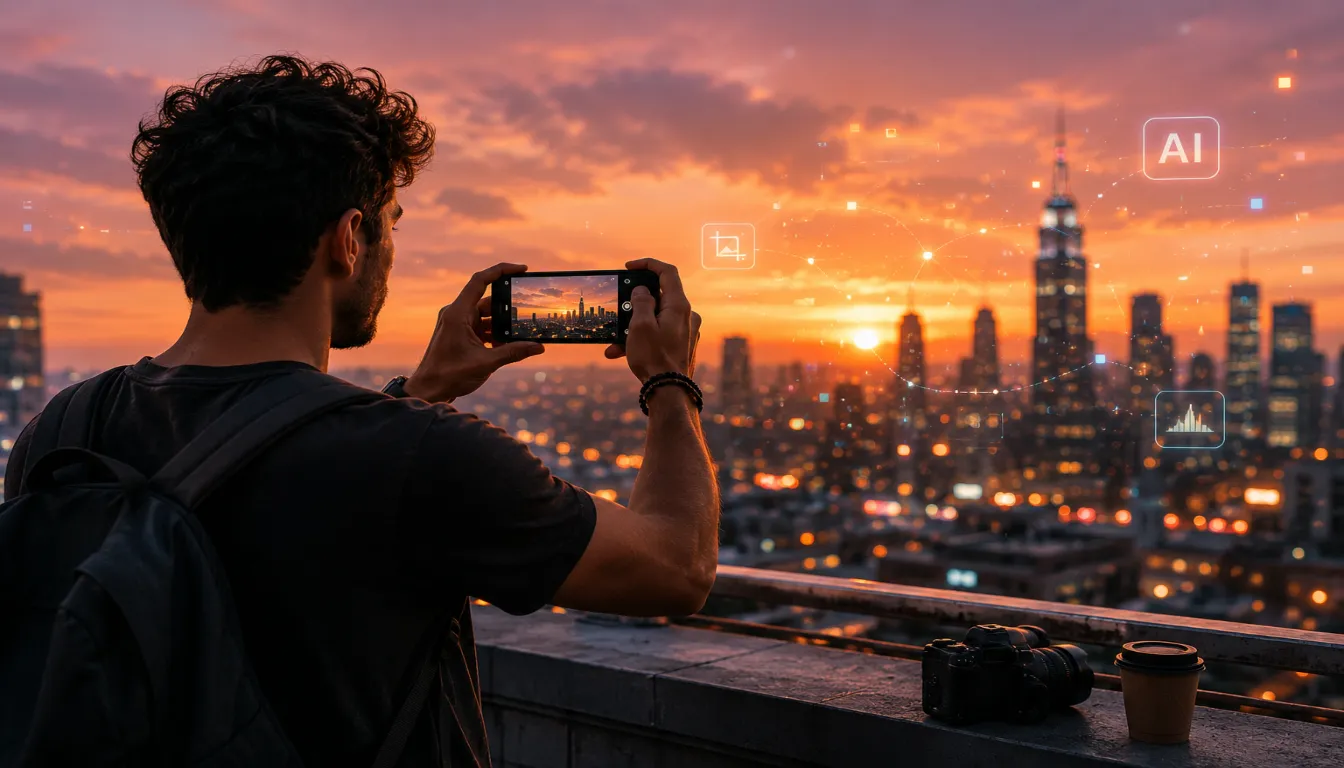
Smartphone camera AI 2026 represents the most accessible leap in photography we have seen in years. Beginners can now reliably capture images that once demanded serious gear and advanced editing, simply by understanding how the AI thinks and feeding it the right conditions. When you combine timeless fundamentals with focused computational photo tips, the camera in your pocket becomes a powerful creative partner instead of just another gadget.
At the same time, the more capable these systems become, the more intentional you need to be about privacy and control. Treating security as part of your creative workflow, especially by embracing zero trust cloud security best practices 2026, protects your photos from being misused or exposed without consent. The future will belong to creators who can balance technical excellence, thoughtful storytelling, and responsible handling of their digital work.
If you treat each photo as a collaboration between your eye and smartphone camera AI 2026, you give yourself room to grow without being overwhelmed by constant new features and trends. Start small, refine your process, and keep learning from every frame you capture. Follow Ai Tech Unboxed for more.