

Try these AI productivity hacks to organize tasks, speed up routine work, and improve everyday workflows with practical tools and simple methods.
In today’s fast-paced digital age, where efficiency, creativity, and innovation are crucial, having practical shortcuts that help maximize your productivity is invaluable. Enter AI Productivity Hacks—a collection of small, clever, and powerful tips and tricks designed to help you harness artificial intelligence in smart, efficient ways, even without deep technical expertise. Whether you’re a student striving for better study efficiency, an entrepreneur scaling your business, a content creator seeking fresh ideas, or just a casual technology enthusiast, these AI productivity hacks will transform how you interact with AI tools. They enable you to work smarter, save precious time, and boost your output with minimal effort.
These AI Productivity Hacks represent accessible, high-impact shortcuts to boost your personal and professional AI workflows with minimal learning curve.

What Are AI Productivity Hacks?
At their core, AI Productivity Hacks are bite-sized but effective strategies to help anyone get the most out of AI tools. Instead of spending hours mastering every feature, learning advanced coding, or building complex automations, these hacks focus on simple, actionable steps that maximize AI’s potential with minimal input.
They work across a wide range of AI platforms, including large language models like ChatGPT or Claude, AI content generation tools, automation suites, and niche AI utilities. This universality is part of the appeal; you don’t need to be locked into a single AI ecosystem to benefit.
These hacks prioritize:
- Simplicity: Easy to understand and implement.
- Speed: Generate faster outcomes with less effort.
- Accessibility: Suitable for beginners and experts alike.
- Utility: Real-world improvements in productivity, creativity, and automation.
By incorporating these hacks into your daily routine, AI stops being a complex enigma and becomes a reliable digital assistant you can depend on.
Why AI Productivity Hacks Matter for Everyone
The explosion of AI tools in recent years has both opened incredible opportunities and posed challenges. Many users feel overwhelmed by the infinite possibilities, technical jargon, and learning curves steeped in AI’s complexity. Large-scale AI implementations often require extensive training, specialist knowledge, and financial investment—something not everyone has the luxury of.
This is where AI Productivity Hacks shine as practical solutions. They provide a friendly, approachable pathway to:
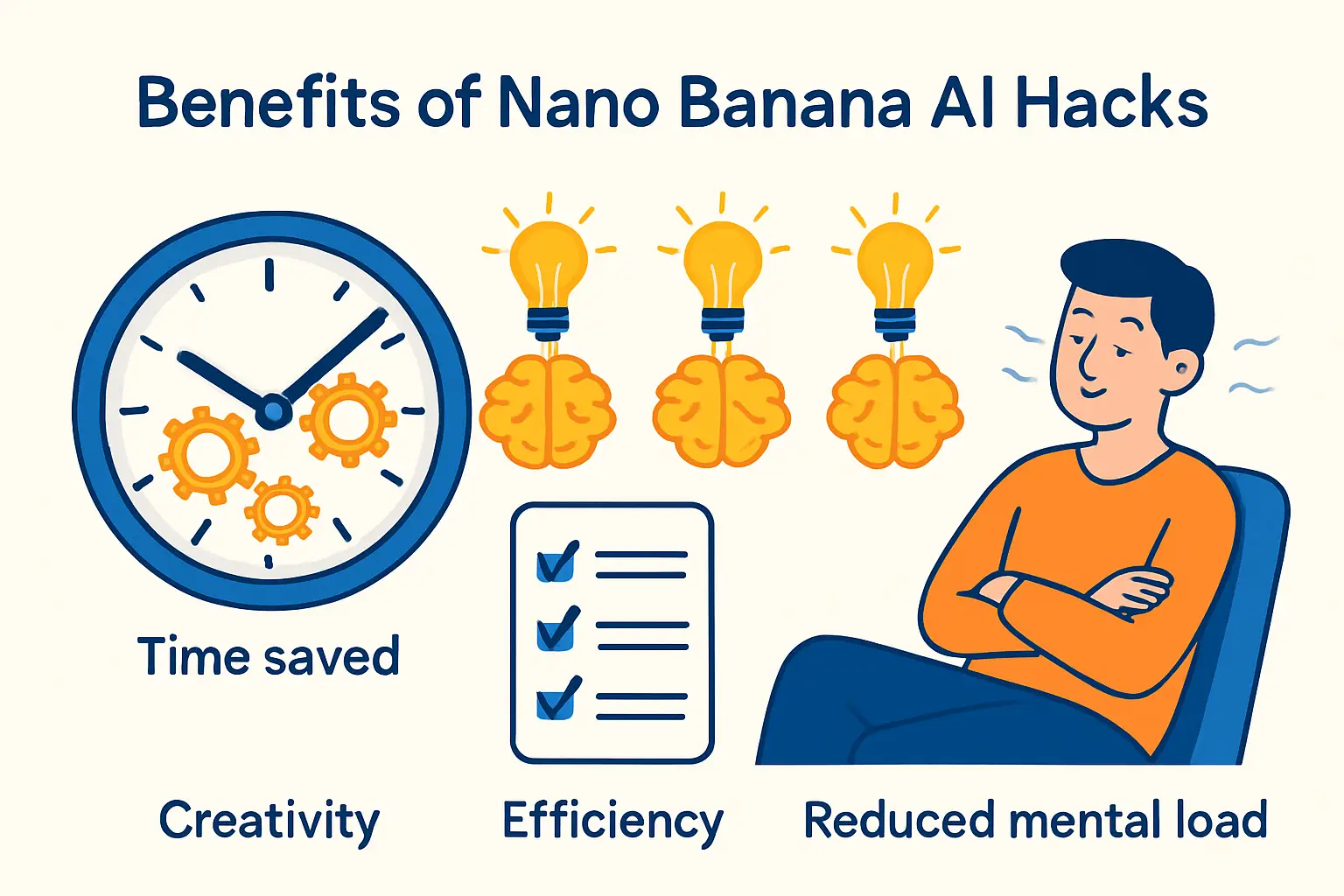
- Save Hours Every Week: AI hacks automate or streamline repetitive, low-value tasks. For example, saving just 10 minutes per day on email drafting or content brainstorming translates to over 40 hours a year.
- Boost Learning Efficiency: AI-powered summarizations and adaptive teaching methods help digest complex knowledge quicker, whether it’s academic content, industry reports, or new skills.
- Reduce Cognitive Load: Automating menial or administrative tasks decreases mental fatigue, freeing cognitive bandwidth for creative, strategic, or relational tasks that require human nuance.
- Enhance Creativity and Output: AI-generated idea expansion and content repurposing help overcome writer’s block and increase output volume and variety without burnout.
Instead of daunting grand projects that demand all-or-nothing commitment, these hacks encourage incremental change with cumulative benefits. You can start small and grow your use of AI tools as confidence and understanding increase.
Comprehensive Categories of AI Productivity Hacks
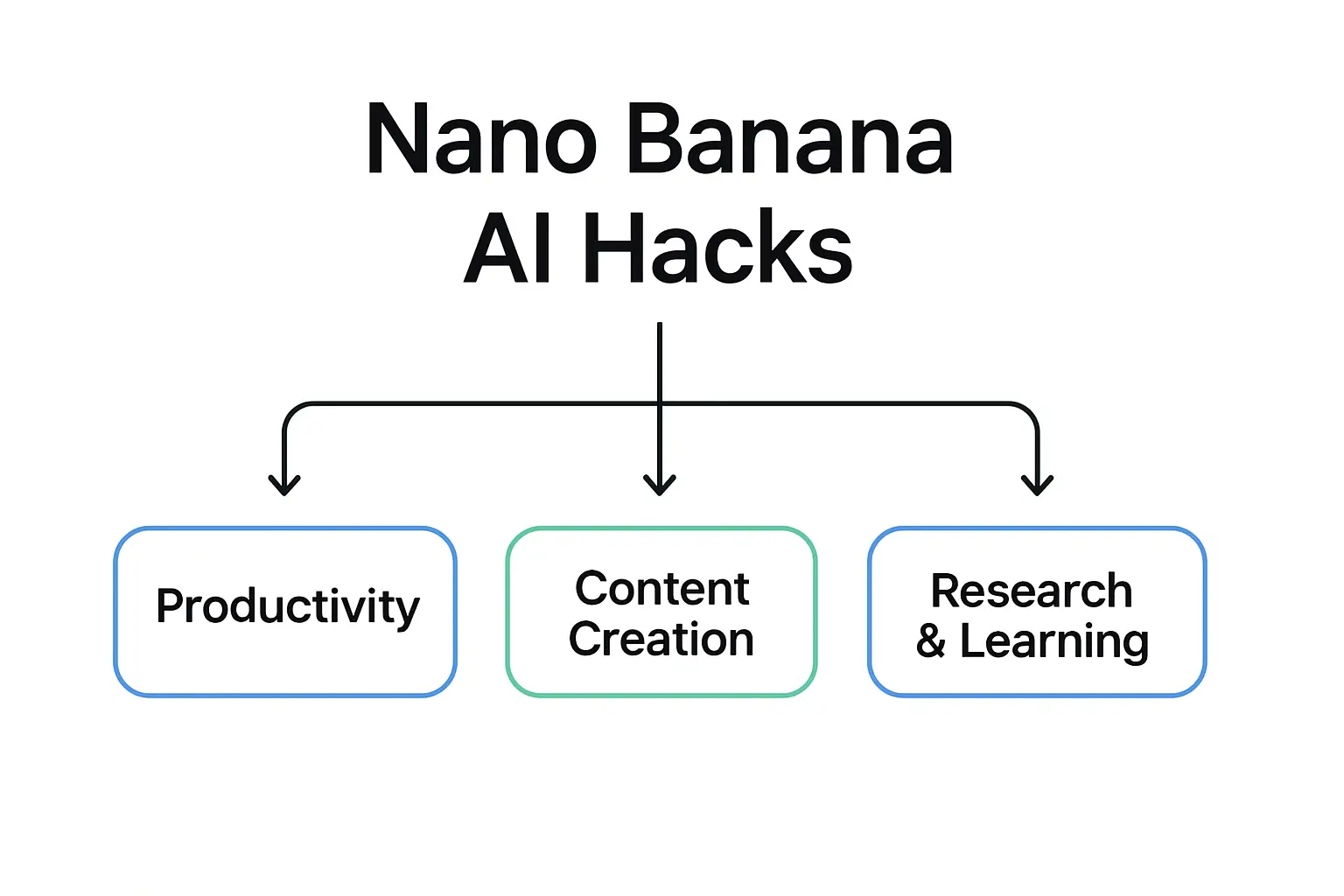
The broad spectrum of AI Productivity Hacks can be grouped into clear categories, each targeting a critical productivity or creative domain:
1. Productivity Shortcuts
Maximizing daily productivity with AI is about reducing friction and making informed decisions quickly. These hacks transform AI into your digital planning, summarizing, and prioritization partner.
- Turn Your To-Dos Into Prioritized Lists: Instead of manually organizing tasks, upload or dictate your task list or calendar entries and request AI to prioritize based on urgency, deadlines, and workload balance.
- Clear Inbox Overwhelm: Long email threads can be copied into AI with the prompt to distill them into three key actionable points or generate quick, polite reply drafts.
- Meeting Minutes Made Easy: Upload voice-to-text meeting transcripts and get clear bullet point summaries, follow-up action items, or decision logs—saving hours of note-taking and reducing errors.
- Focus Time Recommendations: AI can analyze workload and calendar free slots, suggesting optimized focus blocks while accounting for energy fluctuations during the day.
Real-World Example:
A project manager inputs a meeting transcript asking, “Summarize key decisions and identify two critical next steps.” In seconds, the AI delivers a clear summary that replaces tedious manual note extraction.
Pro Tip: When using ChatGPT or Claude for task prioritization, always include deadlines and effort estimates in your prompt. For example: “I have 8 tasks due this week. Task A takes 2 hours (due Monday), Task B takes 4 hours (due Wednesday)…” The more context you give, the smarter the output.

Content creators—bloggers, social media managers, marketers—constantly battle idea droughts and tight deadlines. These AI Productivity Hacks unlock faster, smarter creation workflows so you spend less time staring at a blank screen and more time actually creating.
- Instant Content Repurposing: Feed your long-form blogs or articles into AI and request Twitter threads, LinkedIn updates, Instagram captions, or video scripts tailored for different audiences.
- Topic Brainstorming on Steroids: Seed AI with broad concepts and get multiple focused angles, headline options, or content outlines in return.
- SEO-Ready Optimization: Quickly generate multiple SEO-friendly titles, meta descriptions, and taglines without spending hours in keyword research tools.
- Tone and Style Adjustments: Request tone shifts for brand consistency, e.g., formal, casual, motivational, or humorous versions of the same piece.
Real-World Example:
A solopreneur presses AI to “Generate five LinkedIn post ideas from this blog on sustainable living” and receives a vibrant content plan in seconds.
Pro Tip: When repurposing content, always tell AI the platform and audience before generating. “Turn this blog post into three Instagram captions for a fitness audience under 30” will give you far better results than just saying “repurpose this content.” Specificity is the secret weapon in all AI Productivity Hacks for content creation.

3. Research and Learning Aids
Traditional research and study demand time gathering and extracting core points from dense material. AI streamlines this.
- Knowledge Distillation: Paste long research papers and get concise 5-bullet summaries capturing key findings and implications.
- Adaptive Explanation Layers: Request explanations tailored to your knowledge level, such as “Explain quantum physics like I’m 12,” or “Give an expert-level summary of AI federation techniques.”
- Interactive Q&A Tutoring: Get explanations, practice problems, and answers in conversational formats that aid deeper understanding.
- Cross-Source Synthesis: AI can combine sources on a topic, provide debates, or pros and cons lists to aid critical analysis.
Real-World Example:
A student pastes a dense economics article and asks for a “Beginner friendly summary highlighting main arguments,” speeding up learning and prep for exams.
Pro Tip: When asking AI to explain a concept, always follow up with “Now give me 3 real-world examples of this.” and “What are the most common misconceptions about this topic?” These follow-up prompts dramatically deepen your understanding and make the learning stick far longer than passively reading.

4. Automation & Workflow Enhancers
AI paired with no-code tools and integrations lets you automate dull tasks in your personal and professional workflows.
- Automatic Note Tagging: Use AI integrated with apps like Notion or Evernote to read, interpret, and auto-tag notes by project or priority.
- CSV & Data Summarization: Upload raw spreadsheet data asking AI to restructure, find trends, or create pivot summaries without complex Excel formulas.
- Inbox Triage Helpers: Automate polite email response drafting for routine requests, invitations, or scheduling, cutting down mental energy spent on daily communications.
- Social Media Scheduling: Generate and schedule posts automatically using AI-based content creation and calendar tools.
Real-World Example:
A startup founder sets up a zapier flow that sends meeting transcriptions to AI for summarization, then uploads summaries as action items directly into Trello boards.
Pro Tip: You don’t need to be technical to set this up. Tools like Zapier, Make (formerly Integromat), and even Google Sheets have free tiers and step-by-step templates. Combining them with a free AI model like Claude or ChatGPT can save you 3 to 5 hours every single week on routine admin tasks.
Advanced AI Productivity Hacks for Power Users
For users looking to deepen AI integration, advanced hacks provide increased control and precision:
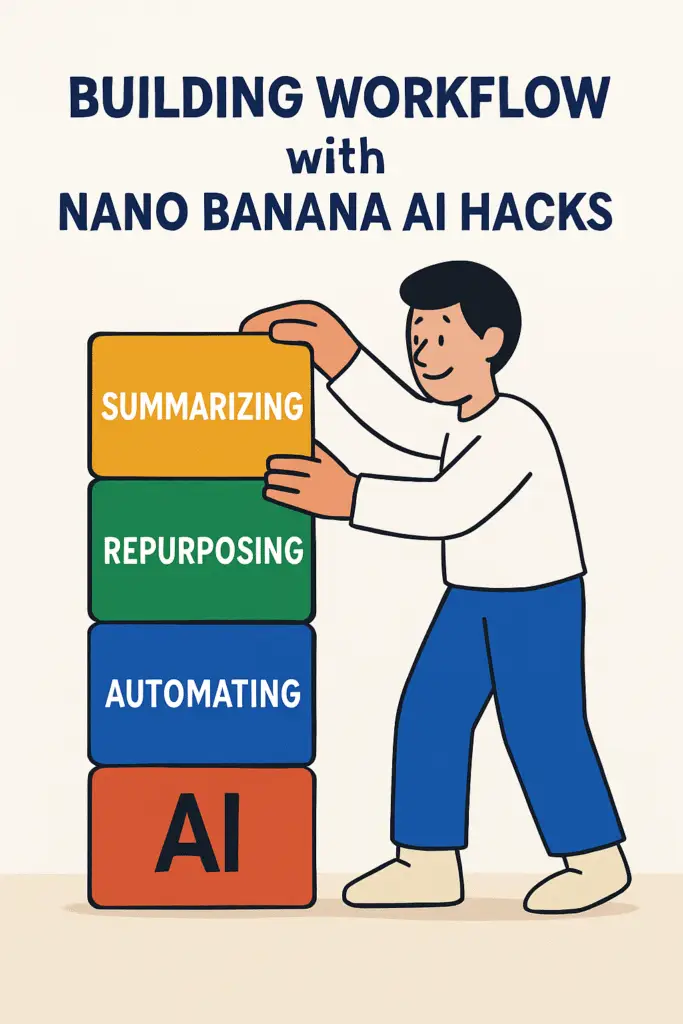
- Reusable Prompt Templates: Design modular prompt combinations for summarizing, repurposing, and toning content swiftly without starting from scratch every time.
- Role-Based Personas: Instruct AI to embody roles like “Marketing Strategist,” “Technical Consultant,” or “Creative Writer” to tailor the style and expertise dynamically per your task.
- Step-Chain Querying: Break complex queries into chains—first, summarizing input; second, expanding examples; third, polishing output—to improve accuracy and quality.
- Hybrid Workflows: Combine AI with manual steps, toggling between automatic generation and human refinement for maximum control.
Real-World Example:
A content strategists builds a prompt chain: summarize existing content → list new ideas with keywords → rewrite in brand voice, improving efficiency and consistency.
Pro Tip: Save your best-performing prompts in a Notion page or simple text file. Label them clearly (e.g., “Blog intro generator”, “Email reply template”, “Summarize this”). Within a month, you’ll have a personal AI prompt library that cuts your working time significantly. This is one of the most underrated advanced AI Productivity Hacks that even experienced users overlook.

How to Start Using AI Productivity Hacks Today
Getting started is simple:
- Identify one or two pain points in your workflow that might be solved by AI—like summarizing emails or generating social posts.
- Try implementing a relevant AI Productivity Hack using your preferred AI tool (many are free or low-cost).
- Experiment and tweak prompts until results become consistent and useful.
- Gradually layer in more hacks, building a personalized AI toolkit.
Consider recording your best prompts as templates to reuse or share. Leverage integrations with apps like Notion, Zapier, or Google Workspace for seamless automation.
Here’s a beginner-friendly weekly plan to get you started: On Day 1, pick just one task you do repeatedly—like writing email responses—and test an AI prompt for it. On Day 3, review the output quality and refine your prompt. By Day 7, you’ll have one reliable AI Productivity Hack that genuinely saves you time. From there, it’s just about building on that foundation, week by week, until AI becomes a natural extension of how you work and think.
Final Thoughts
Mastering AI need not be overwhelming. With AI Productivity Hacks, you focus on small, manageable shortcuts that deliver outsized benefits. These hacks empower everyone—from novices to experts—to leverage AI effectively and creatively, reclaiming time and boosting output.
Think of AI Productivity Hacks as your secret toolkit for working smarter, not harder, with AI. Start today by picking a single hack, and watch how quickly your productivity and creativity grow—one small step at a time.
One common mistake beginners make is trying to use AI for everything at once. Start with one or two AI Productivity Hacks that address your biggest pain point. Once those feel natural, gradually layer in more. Think of it like learning a new language—consistency matters more than volume. Ten minutes a day of deliberate AI practice will outperform an overwhelming two-hour session once a week.
Bonus: Case Study in Action
Imagine a freelance writer juggling multiple clients and deadlines. By adopting the following AI Productivity Hacks:
- Using AI to summarize client feedback into three bullet points.
- Repurposing one blog post into five tailored social media snippets.
- Automating email reply drafts for routine queries.
The writer frees up 8 hours a week, gains more content output, and reduces stress, demonstrating how small hacks create big wins.
This is not a hypothetical scenario—it’s something thousands of freelancers and small business owners are doing right now with tools that are completely free to use. The real advantage is not the tool itself but knowing exactly how to use it. That’s what good AI Productivity Hacks give you: a structured, repeatable method to get consistent results.
Ready to take your AI knowledge and tech skills to the next level? Visit AI Tech Unboxed for a treasure trove of practical guides, in-depth reviews, and the latest trends in artificial intelligence and technology. Whether you’re a beginner exploring new tools or a seasoned tech enthusiast looking for expert insights, our website is your go-to resource. Explore more, learn smarter, and stay updated with AI Tech Unboxed—where technology meets productivity.
How to Make the Most of AI Productivity Hacks Every Day
The key to getting real value from AI is consistency. Many people try a few AI tools, get excited, then quietly abandon them after a week. The difference between users who transform their workflow and those who don’t usually comes down to one thing: habit formation.
Start by building a simple morning routine around AI. For example, spend five minutes at the start of your day asking your AI assistant to summarize overnight news relevant to your industry, prioritize your task list, or draft the first email you need to send. This small habit alone can save you 20 to 30 minutes daily.
Another practical approach is to keep a running “prompt library.” Whenever you craft a prompt that delivers a great result, save it. Over time, you will build a personalized collection of AI shortcuts that are tailored to your exact workflow. This is one of the most underrated AI productivity hacks because it removes the guesswork every time you sit down to work.
Finally, review your AI usage weekly. Ask yourself: which tasks did AI help me complete faster? Where did I still waste time? This reflection helps you identify new areas where AI can assist, ensuring your productivity improvements compound over time rather than plateau.
Who Should Use These AI Productivity Hacks
Indian students preparing for competitive exams like UPSC or JEE can use AI summarization hacks to condense lengthy reference material into revision-friendly notes, saving hours during exam season. Freelancers and small business owners across India’s growing gig economy — including content writers, social media managers, and consultants — benefit most from content repurposing and email-drafting hacks, since these directly cut billable-hour waste. IT professionals and startup teams working with tight sprint deadlines should prioritize the automation and workflow hacks, particularly those using free tools like Google Sheets and Zapier, which keep costs low for bootstrapped teams. Casual users who only check AI tools occasionally may not need the advanced power-user hacks; starting with basic prompt templates is enough until AI becomes a regular part of your routine.
FAQs
Q1: Are AI Productivity Hacks only for tech-savvy users?
No, they’re designed to be accessible and easy, perfect for beginners and tech experts alike.
Q2: Which AI tools work best with these hacks?
Most hacks are platform-agnostic and work well with ChatGPT, Claude, Bard, or AI integrations in productivity apps.
Q3: Can these hacks replace human creativity?
No, they complement creativity, automating routine tasks and ideation but leaving final creative judgment to you.
Q4: How long does it take to see results from AI Productivity Hacks?
Most users report a noticeable improvement in productivity within the first week of consistent use. The key is to start with just 2-3 hacks and build from there.
If you are unsure where to begin, just pick the single most time-consuming task in your weekly routine and ask an AI tool to help you tackle it differently. You may be surprised at how much time and energy you reclaim with just one small change.
Q5: Are these AI hacks free to use?
Most AI Productivity Hacks work with free-tier AI tools like ChatGPT Free, Claude Free, and Google Gemini. You do not need a paid subscription to start. Premium tools simply allow you to scale faster.
Key Takeaways: AI Productivity Hacks at a Glance
AI Productivity Hacks are small, actionable AI strategies that maximize productivity without any technical background.
Also Read: Explore More AI Tools & Guides
AI SEO Workflow for Beginners 2026 – Step-by-Step Guide
Best LLMs 2025 for Coding – 7 Powerful Benefits
7 Powerful Changes OpenAI Stargate Brings to AI Data Centers
5 Powerful Ways AI Agents Transform Your Workflow
Top 10 Powerful AI Writing Tools 2025 Revealed


Nice!